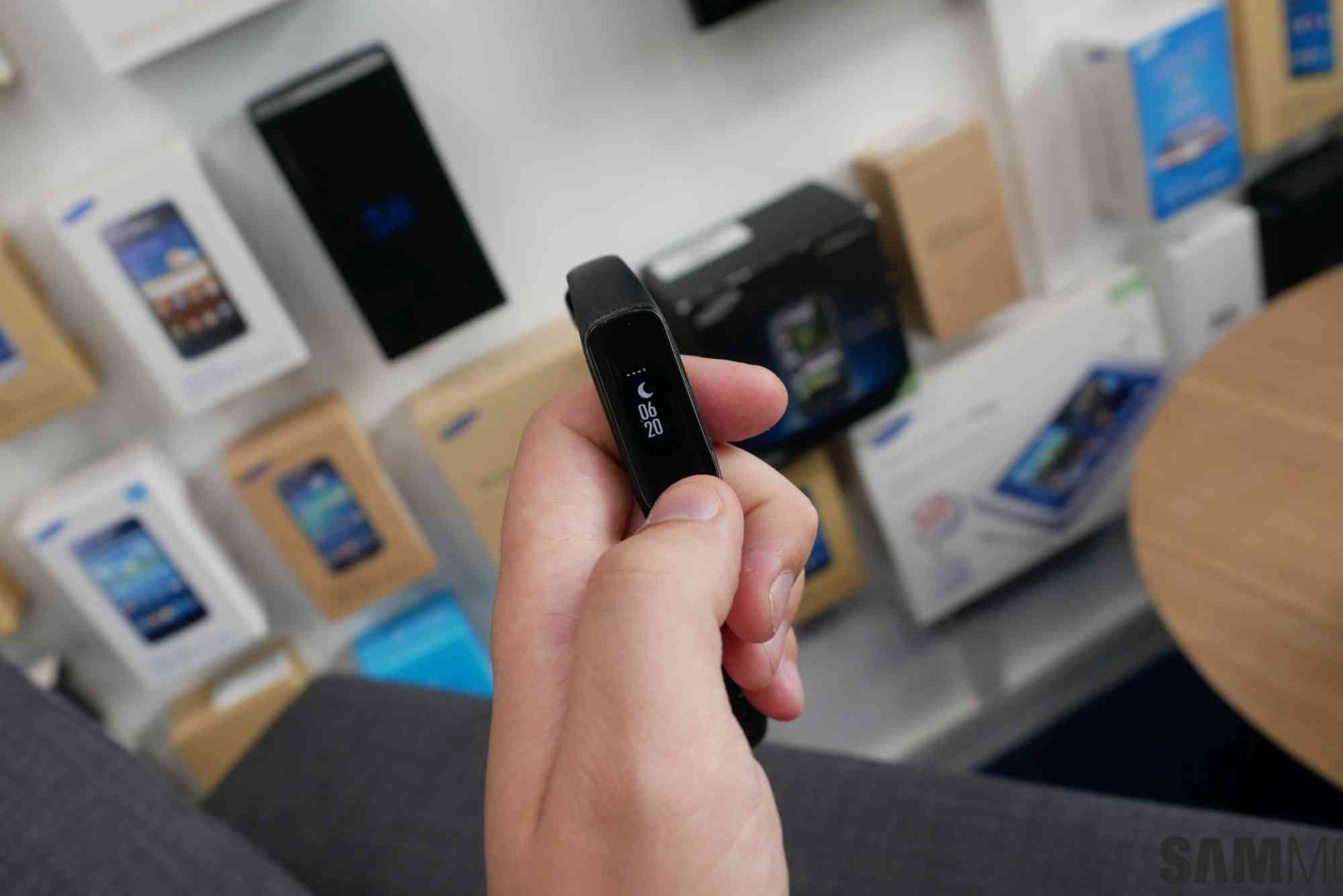
Samsung Fit E App: Features and Functionality
Fitness tracking has become an essential part of modern life, helping individuals stay motivated and informed about their health goals. Among the numerous fitness apps available, the Samsung Fit E app stands out for its user-friendly design and comprehensive functionality. Whether you are a beginner or a fitness enthusiast, the Samsung Fit E app offers an intuitive experience tailored to your needs. This article dives deep into the features and functionality of the Samsung Fit E app, explaining how it can elevate your fitness routine.
Introduction to the Samsung Fit E App
The Samsung Fit E app is a fitness companion designed to work seamlessly with Samsung’s fitness wearables. It provides real-time tracking of your physical activities, sleep patterns, and health metrics, helping you stay on top of your wellness goals. Unlike some complex fitness apps that overwhelm users with information, Samsung Fit E keeps things simple yet effective. From daily step counts to advanced workout monitoring, this app is a versatile tool for maintaining a balanced lifestyle.
Built with clarity and ease of use in mind, the Samsung Fit E app is ideal for anyone seeking straightforward health insights without sacrificing detail. Its smooth interface and intelligent data analysis make it easier to understand your body and progress over time.
Core Features of the Samsung Fit E App
Activity Tracking
One of the primary functions of the Samsung Fit E app is its detailed activity tracking. It automatically records daily steps, distance traveled, and calories burned, helping you gauge your physical activity levels at a glance. The app supports a wide range of activities including walking, running, cycling, and even specialized workouts like yoga or strength training.
Thanks to its precise motion sensors, the app ensures that your data is accurate and reliable. Additionally, it allows you to set personalized goals and sends gentle reminders to keep you motivated throughout the day.
Sleep Monitoring
Quality sleep is fundamental to overall health, and Samsung Fit E understands this well. The app monitors your sleep duration and patterns, breaking down your rest into light, deep, and REM sleep phases. By analyzing this data, it provides insights into your sleep quality and offers suggestions for improvement.

This feature is particularly valuable for those struggling with irregular sleep schedules or seeking to optimize recovery after intense workouts.
Heart Rate Tracking
For users who want to keep an eye on their cardiovascular health, the Samsung Fit E app includes heart rate monitoring. Paired with compatible Samsung wearables, it continuously measures your pulse throughout the day. The app alerts you if your heart rate spikes or falls below healthy thresholds, enabling proactive health management.
Tracking heart rate during exercise also helps you stay within your optimal training zones, improving workout efficiency and safety.
Intuitive Dashboard and Analytics
The Samsung Fit E app presents all your health data in an easy-to-read dashboard. This feature consolidates your daily, weekly, and monthly performance into visual charts and summaries. You can quickly assess trends, identify areas for improvement, and celebrate milestones.
Moreover, the app provides actionable insights based on your data. For instance, if your activity levels drop, it may suggest more frequent breaks or light exercises to keep you active.
Seamless Integration with Samsung Devices
Designed for a smooth experience, the Samsung Fit E app integrates effortlessly with Samsung’s ecosystem. Whether you use a Samsung Galaxy smartphone, smartwatch, or fitness band, the app syncs data instantly. This ensures that your health information is always up to date and accessible across devices.
Furthermore, the app supports syncing with third-party health platforms, allowing you to centralize your wellness data if you use multiple tracking tools.
Enhanced Functionality for Personalized Fitness
Goal Setting and Progress Tracking
The Samsung Fit E app lets you set customized fitness goals based on your lifestyle and preferences. Whether it’s increasing daily steps, improving sleep quality, or managing weight, you can tailor targets that are realistic and motivating.
The app tracks your progress in real time and provides feedback to keep you engaged. If you fall behind your goals, it offers encouragement and practical advice to get back on track without feeling overwhelmed.
Guided Workouts and Challenges
To keep fitness fun and varied, the Samsung Fit E app includes a library of guided workouts suitable for all levels. These sessions range from quick stretches to full-body workouts, helping you stay consistent even on busy days.
Additionally, the app hosts community challenges where you can compete with friends or global users. These challenges promote healthy competition and social motivation, making fitness a shared experience rather than a solitary task.
Stress Management Tools
Recognizing that mental well-being is as important as physical health, the Samsung Fit E app offers stress tracking and relaxation features. It measures your stress levels through heart rate variability and suggests breathing exercises to help you unwind.
Incorporating stress management into your routine can enhance your overall wellness and improve sleep quality, creating a positive feedback loop for health.
How to Use the Samsung Fit E App Effectively
Getting the most out of the Samsung Fit E app requires consistent use and proper setup. Start by syncing the app with your compatible Samsung wearable. Make sure you grant necessary permissions for sensors and notifications to function correctly. Regularly update your profile information including age, weight, and height for accurate calculations. Set clear, achievable goals based on your fitness level. Check the dashboard daily to monitor your activity and sleep stats.
Use reminders and alerts wisely to keep your motivation high without feeling pressured. Explore guided workouts and join challenges to add variety to your routine. Lastly, review weekly reports to identify trends and adjust your habits accordingly. The app’s actionable insights will guide you to improve steadily over time.
Benefits of Using the Samsung Fit E App
Using the Samsung Fit E app brings several benefits that contribute to a healthier lifestyle. Firstly, it offers convenience by consolidating multiple health metrics in one place. You don’t need to juggle different apps or devices. Secondly, its simple interface ensures that even beginners find it easy to understand and navigate. This accessibility reduces the barrier to entry for fitness tracking.
Thirdly, the personalized approach helps users stay engaged and motivated. Tailored goals and feedback mean you get support that fits your unique journey. Lastly, by integrating physical activity, sleep, and stress management, the app promotes a holistic view of wellness rather than focusing on just one aspect.
The Samsung Fit E app offers a powerful yet easy-to-use platform for tracking and improving your health. Its comprehensive features—ranging from activity and sleep tracking to stress management—make it a well-rounded companion for any fitness journey. With personalized goals, guided workouts, and seamless device integration, the app motivates you to stay consistent and informed. If you are looking to enhance your fitness routine with reliable data and thoughtful insights, the Samsung Fit E app is a worthy choice. Download the app today, sync your Samsung wearable, and take the first step toward a healthier, more balanced lifestyle.
FAQs
Is the Samsung Fit E app free to use?
Yes, the Samsung Fit E app is free and available for download on Samsung’s app store and compatible devices.
Which devices support the Samsung Fit E app?
It supports most Samsung fitness bands and smartwatches, as well as Galaxy smartphones with compatible software versions.
Can I use the app without a Samsung wearable?
While basic features like manual activity logging may work, the full functionality requires a Samsung wearable for accurate tracking.
How accurate is the fitness tracking on the app?
The app uses advanced sensors on Samsung devices for reliable tracking. Accuracy is generally high for steps, heart rate, and sleep but can vary slightly with device fit and usage.
Does the app sync with other health platforms?
Yes, the Samsung Fit E app supports syncing with select third-party health apps for a unified health overview.