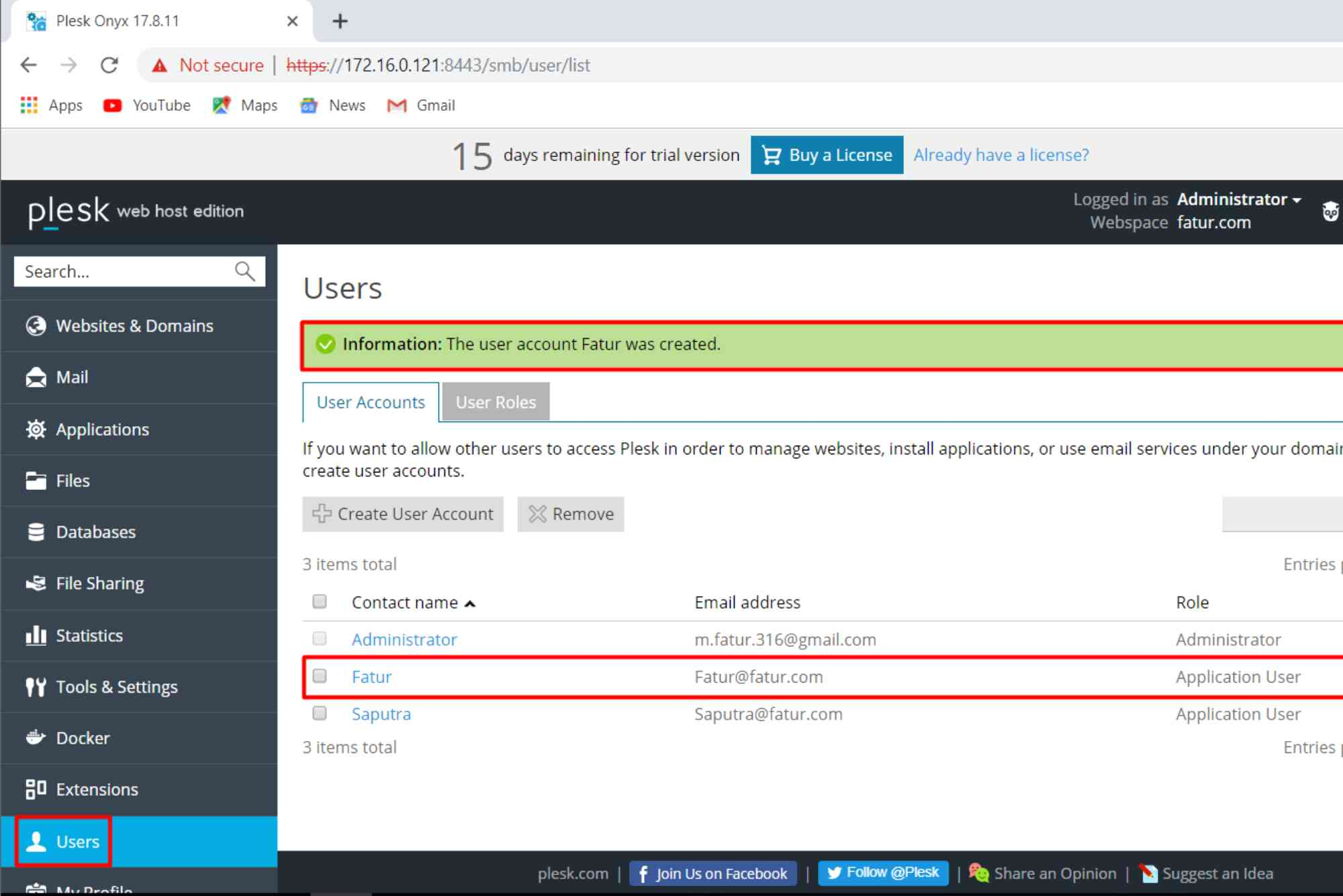
If you’re stepping into the world of web hosting, choosing the right control panel is crucial. Many new hosting entrepreneurs turn to Plesk for its powerful features, intuitive design, and flexibility. Even better, Plesk offers a trial license that allows you to explore its full capabilities—risk-free.
This article dives into why the Plesk trial license is the smart choice for aspiring web hosting providers, how to get started, and what benefits you can expect from using this professional-grade platform right from day one.
Why Plesk Is the Go-To Choice for Hosting Businesses
Before exploring the trial license, it’s important to understand why Plesk stands out among web hosting control panels.
Powerful Yet User-Friendly
Plesk simplifies server and site management with an intuitive dashboard that beginners can navigate easily. It doesn’t require deep technical skills to manage tasks like setting up domains, emails, or databases.
Multi-Platform Flexibility
Plesk runs on both Linux and Windows servers, making it versatile. Whether you’re hosting PHP applications or ASP.NET websites, Plesk has you covered.
Built for Business Growth
Plesk is designed to scale. As your hosting business grows, Plesk can grow with you—whether you’re managing 10 sites or 1,000.

What Is the Plesk Trial License?
The Plesk trial license offers full access to Plesk’s Web Pro edition features for 14 days. This means you can test the platform’s functionality, integrations, and user experience before making a long-term commitment.
This is especially helpful for:
- Web hosting startups
- Freelance web developers
- Agencies testing server environments
- Entrepreneurs exploring reseller hosting
The trial gives you the breathing room to test features and decide if it fits your business needs—without upfront investment.
How to Get Your Plesk Trial License
Activating your Plesk trial license is quick and easy.
Choose a Server
You’ll need a VPS or dedicated server. Many cloud providers like AWS, DigitalOcean, and Hetzner offer one-click Plesk installation images.
Install Plesk
Once your server is ready, install Plesk using either the web installer or command-line interface. Installation usually takes less than 15 minutes.
Activate the Trial
When you access the Plesk interface for the first time, you’ll be prompted to activate a trial license. Simply provide your email and follow the instructions.
You’ll now have 14 days to explore all features available in the Web Pro edition.
Key Benefits of Using a Plesk Trial License
Cost-Effective Testing Ground
Startups often work with tight budgets. A Plesk trial license allows you to experiment without any financial risk. You can explore core features such as WordPress Toolkit, DNS management, and database control—all without spending a dime.
Confidence in Product-Market Fit
Using the trial helps you assess whether Plesk aligns with your business model. For example, if you’re targeting WordPress clients, the integrated WordPress Toolkit becomes an invaluable asset.
Hands-On Learning
Theory can only take you so far. The trial license gives you hands-on experience with actual server setups, performance tuning, and user account management.
No Feature Restrictions
Unlike limited trials, the Plesk trial gives you access to advanced tools like Git integration, security monitoring, and backup systems. This helps you understand the full potential of the platform.
Plesk Features That Make a Difference
Security Tools Built In
Plesk comes with built-in firewalls, Fail2Ban, and ModSecurity to keep your websites safe. During the trial, you can see how these tools work in real time.
WordPress Management Made Easy
The WordPress Toolkit allows you to install, manage, clone, and secure multiple WordPress sites from a single dashboard. This is a game-changer for agencies and freelance developers.
Developer-Friendly Environment
With support for Docker, Node.js, and Git, developers can build, deploy, and manage web applications effortlessly.
One-Click App Installations
Install over 100 popular web applications like Joomla, Drupal, and Magento with just a few clicks. The trial allows full access to the Plesk App Catalog.
Best Practices While Using Your Plesk Trial License
Simulate Real Business Conditions
Use the trial period to simulate actual client scenarios. Create client accounts, configure hosting packages, and manage multiple domains to see how Plesk performs under real workloads.
Test Automation Tools
Explore Plesk’s automation capabilities. Set up cron jobs, email autoresponders, or resource limits to streamline your hosting operations.
Evaluate Security Settings
Test firewall settings, SSL certificate installations, and spam filters. A secure server setup is non-negotiable for client trust.
What Happens After the Trial Ends?
After 14 days, your Plesk trial license will expire. You’ll have a few options:
- Upgrade to a paid license (Web Admin, Web Pro, or Web Host Edition)
- Purchase through your VPS provider (many offer bundled Plesk licenses)
- Deactivate or uninstall if it doesn’t meet your needs
Your data remains intact, and you can upgrade to a full license without losing any configurations.
Is the Plesk Trial License Right for You?
The Plesk trial license is ideal if you’re:
- Starting a web hosting company
- Freelancing and want to manage client websites
- Launching a SaaS project and need reliable hosting
- Testing environments for security or performance
You’ll gain critical experience and insights—without a long-term commitment. It’s a smart move for any entrepreneur serious about hosting.
Frequently Asked Questions (FAQs)
What does the Plesk trial license include?
The trial includes full access to Plesk Web Pro Edition for 14 days. It supports unlimited domains, WordPress Toolkit, Git, and more.
Can I extend the Plesk trial license?
Officially, no. However, some VPS providers offer extended trial periods or temporary developer licenses. Check with your hosting provider.
Is it possible to migrate from the trial to a paid license?
Yes. You can upgrade anytime during or after the trial without losing your configurations or data.
Do I need a domain to test Plesk?
No. You can use your server’s IP address or test domains like example.test. However, using a real domain enhances the testing experience.
Does Plesk work on shared hosting?
No. Plesk is designed for VPS or dedicated servers. If you’re on shared hosting, you won’t be able to install it.
Start Smart with Plesk
Launching a web hosting business is both exciting and challenging. The Plesk trial license offers a powerful head start without the pressure of upfront costs. It’s a practical, risk-free way to explore professional-grade hosting tools, assess fit, and prepare for long-term success.